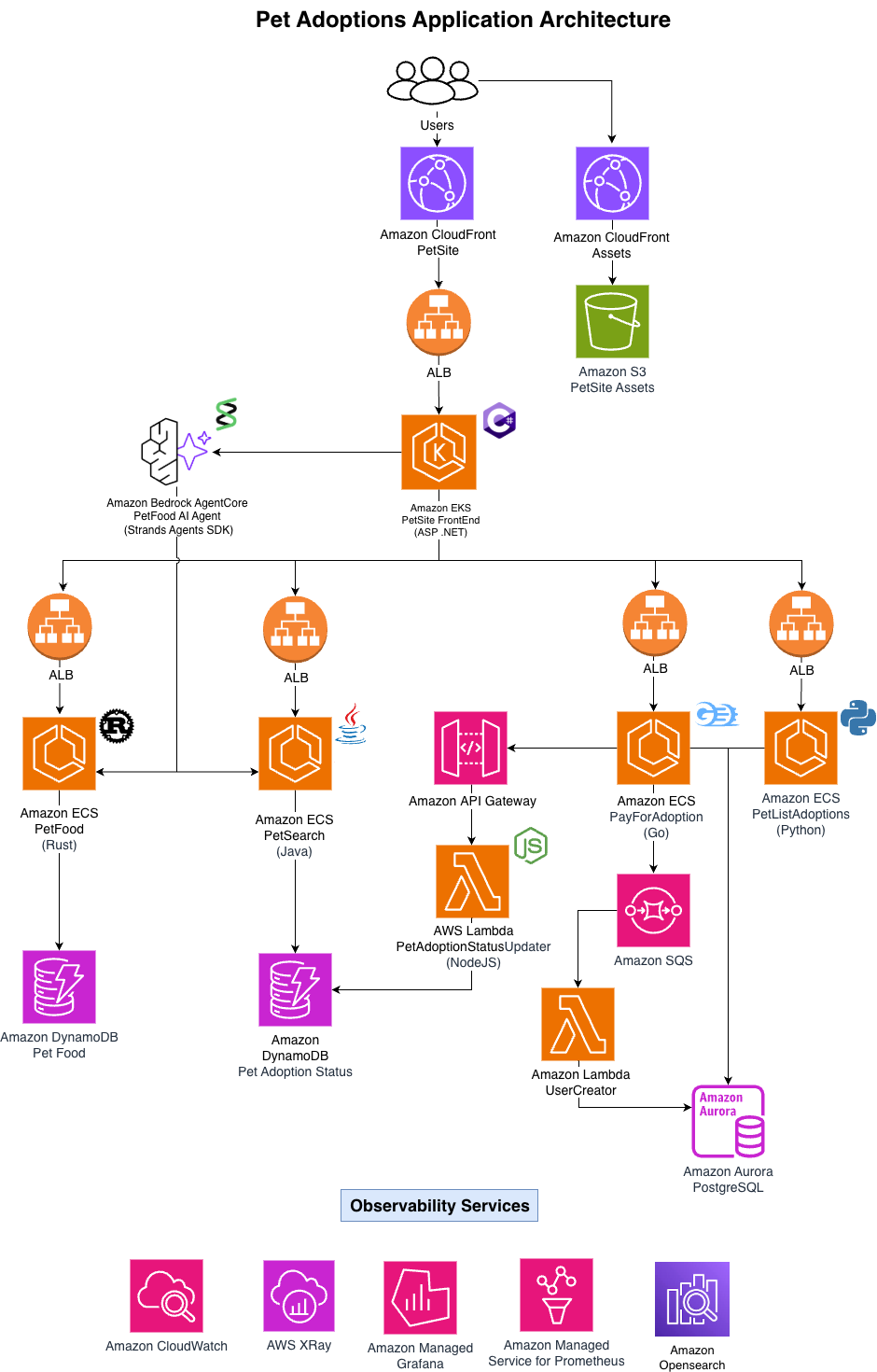
Using the CloudFormation console
In the CloudFormation console do the following:
Select Stacks on the left-side navigation.
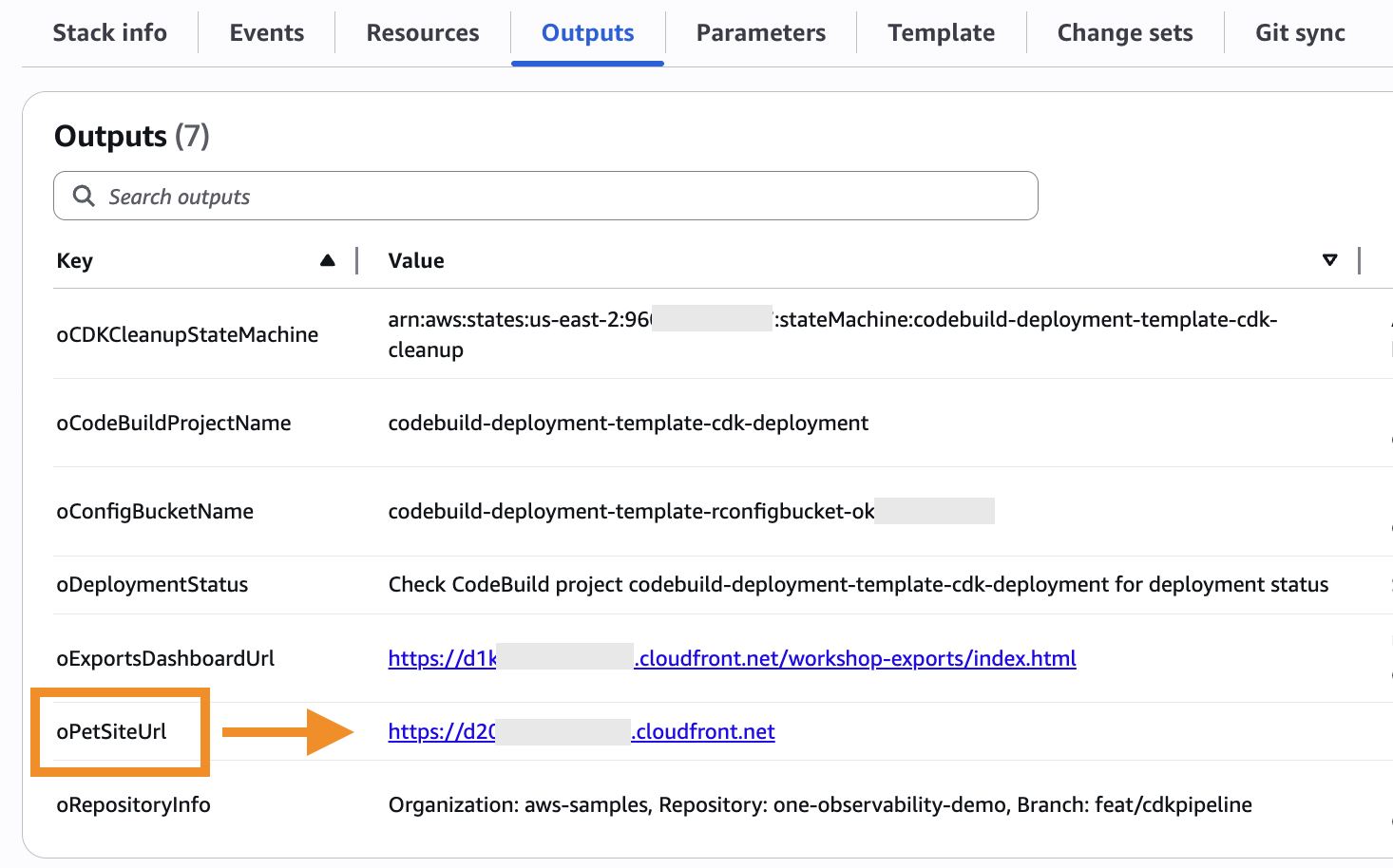
Find the stack named codebuild-deployment-template and click to open it.
Select the Outputs tab. Your individual pet adoption website URL will be the oPetSiteUrl, as seen in this image:
Next steps
Navigate to the URL that was returned as a result. You should see the application home screen as shown below.
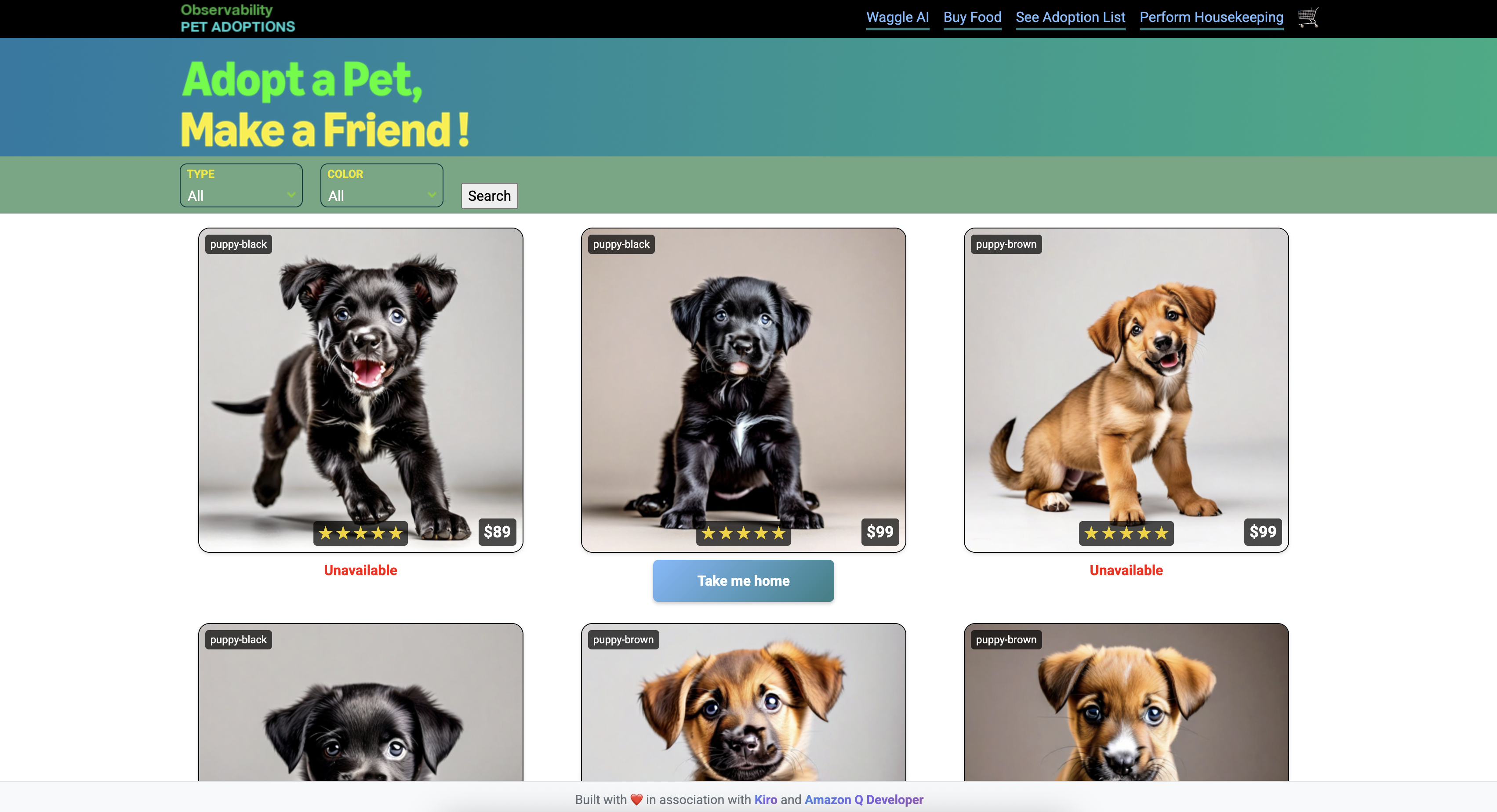
You can navigate through the application with several pet options.
Troubleshooting
In very rare cases, you might encounter a behavior where the site does not show any pet images. Click on Perform Housekeeping in the application home page's upper right corner.
APP ARQUITECTURE